
 InternationalYour location

 Weight Doctors® GLP-1 pharmacotherapyMedication-based, no procedure3–12 months · from €599
Medically supervised pharmacotherapy with regular progress monitoring – with no procedure at all.
No procedure
Mon–Fri 8 am–8 pm · Sat 9 am–3 pm
Your values, your daily routine and your treatment team in one place: the Weight Doctors® App accompanies your treatment – with smart body scales, messages to your team and Weight Doctors® Mira.
What the app can do, how the scales fit in and how you reach your treatment team.
Losing weight rarely succeeds alone. That is why the Weight Doctors® App brings together what belongs together on this journey: your values, your daily routine and your treatment team – within reach on your smartphone.
We have rebuilt the app: with a clear bar of five areas, a history for all measured values and a direct route to your clinic. It is the digital part of your care, not a replacement for it.
You receive access for 12 months at the start of your Weight Doctors® treatment. The app is part of the Weight Doctors® MEMBERSHIP and is not offered separately.
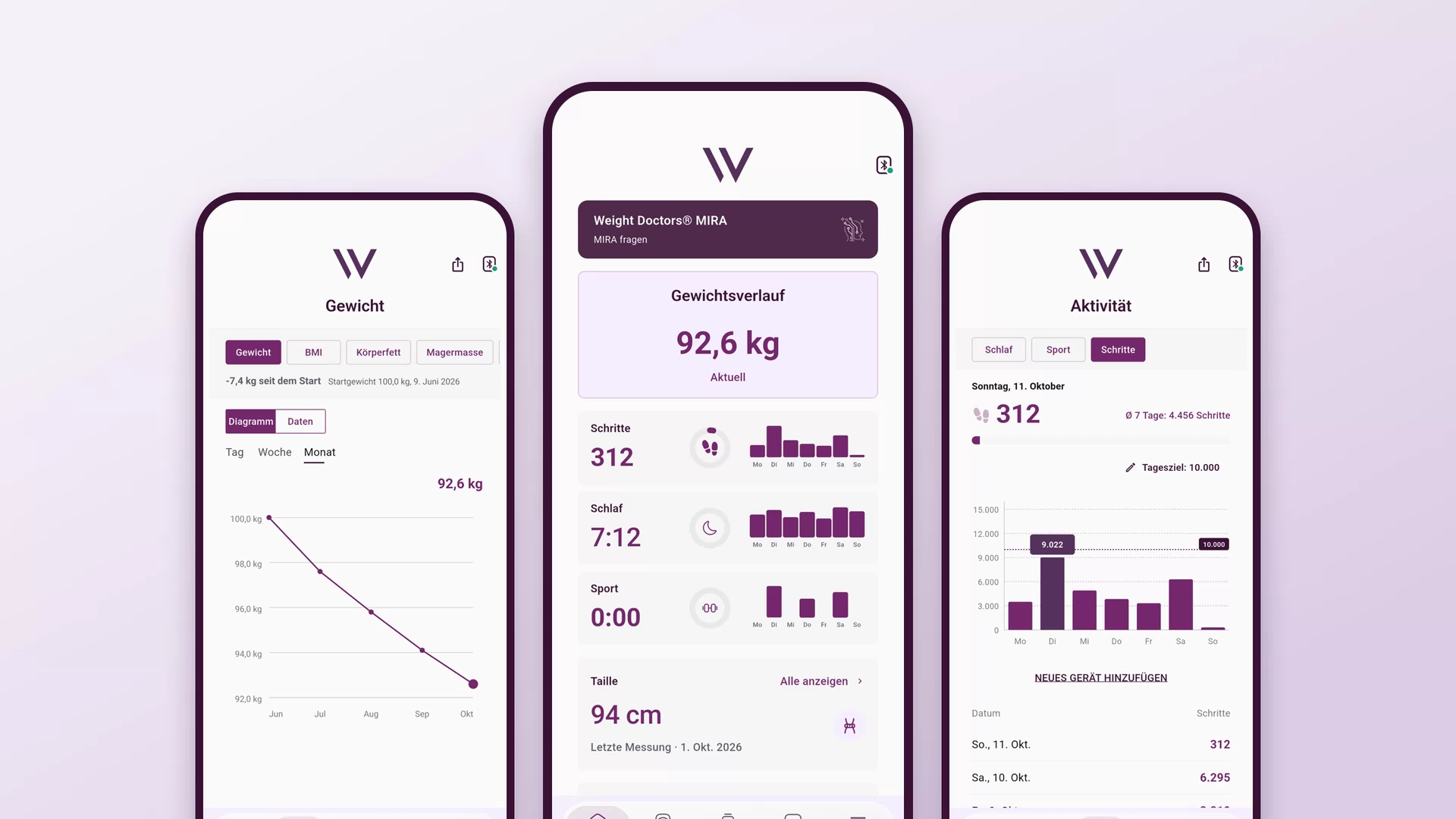
The images on this page show the Weight Doctors® App as an example view with sample data.
At the bottom of the app you will find a bar with five areas. You do not need to remember more than that.
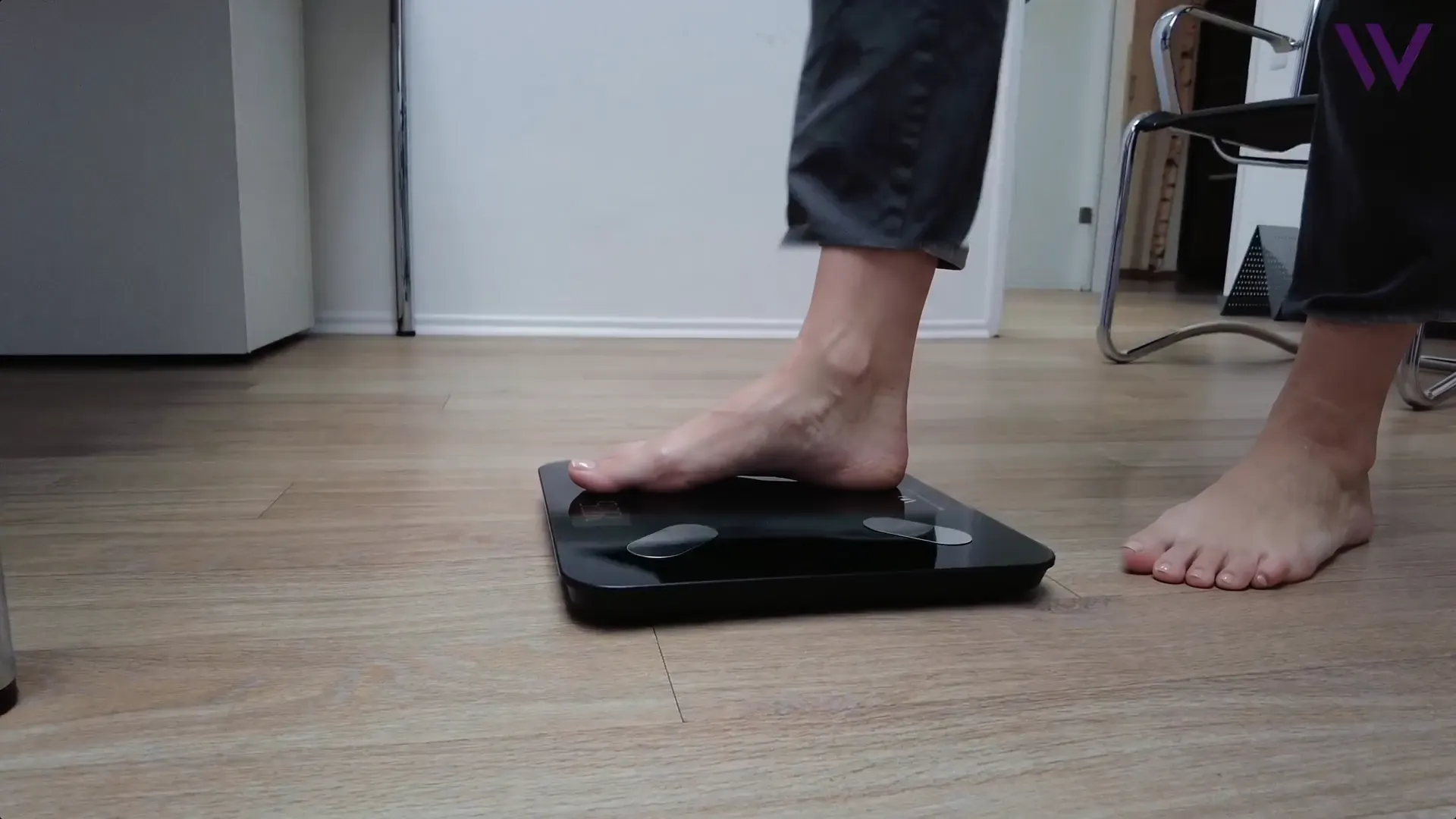
The app comes with digital body scales in the Weight Doctors® design. They connect to your smartphone via Bluetooth: put the smartphone nearby, open the app, step onto the scales barefoot and stand still until the app plays a sound. The value then appears on the home page – you do not have to tap anything.
You see not only your weight but also the values behind it. Especially when the scales stand still for a while, the history shows that something is still happening underneath.
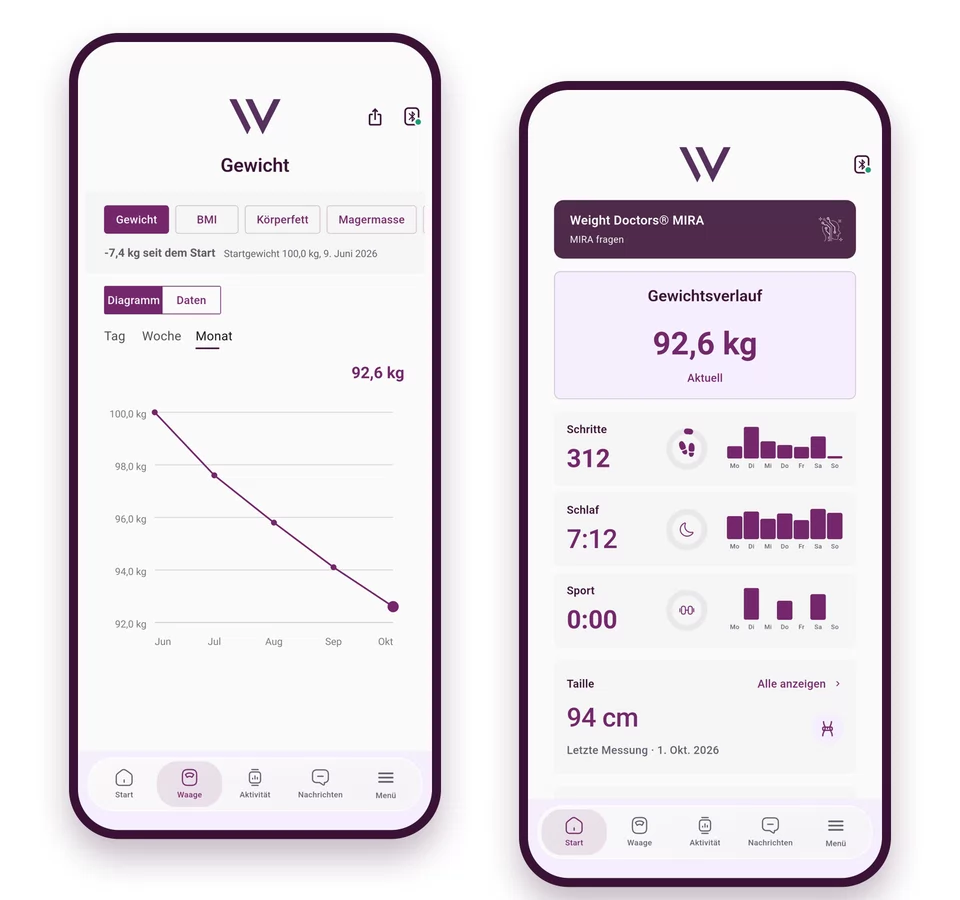
Individual measurements fluctuate. What matters is the trend over weeks – your treatment team will discuss it with you.
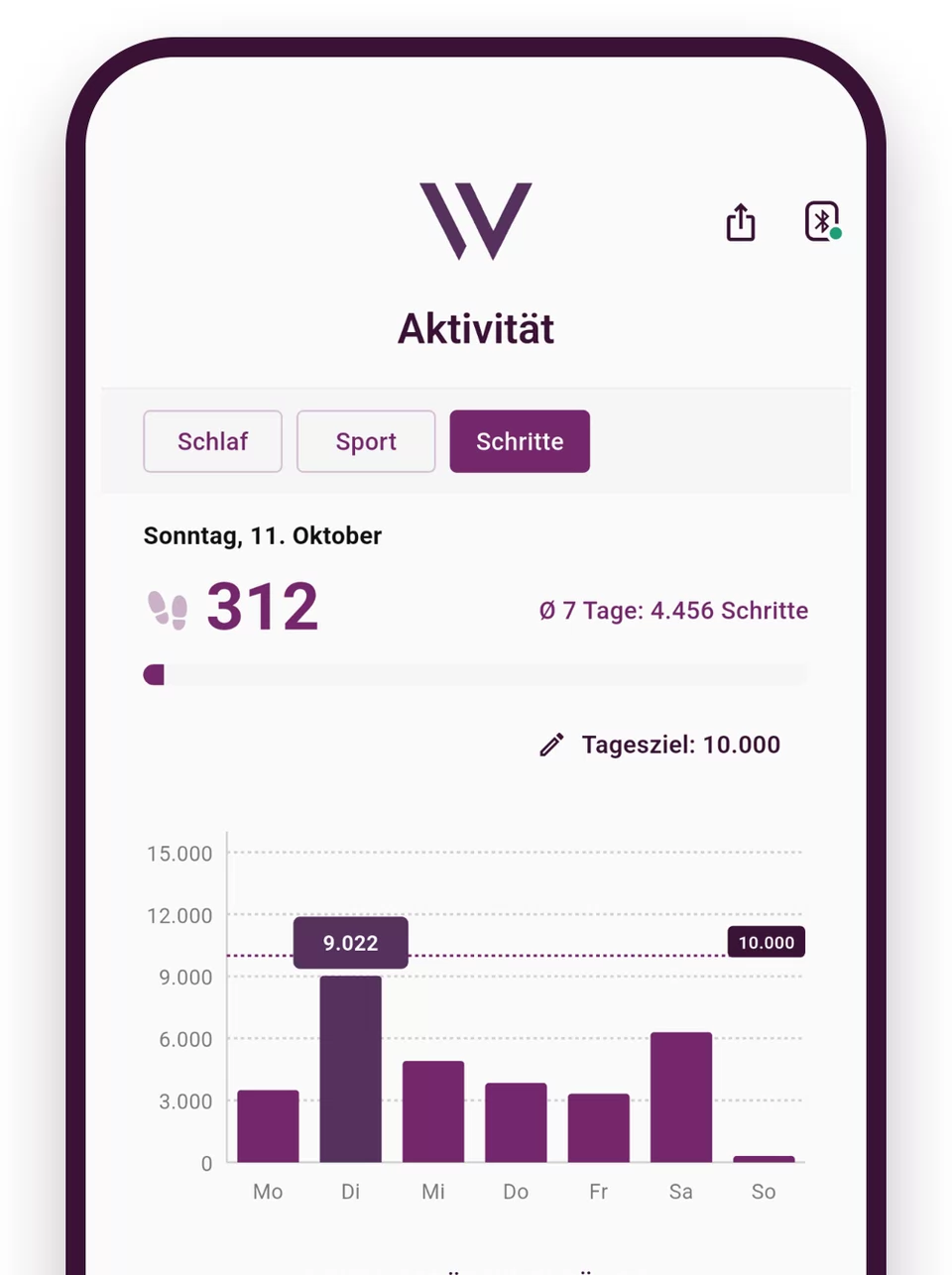
Steps, sleep and exercise are recorded automatically as soon as you have connected Apple Health or Health Connect once. If you wear your own watch or a fitness tracker, you bring the data into the app in the same way – in the menu under “Apps and devices”.
Then there are the daily actions: from ready-made suggestions, you put together your daily list and tick things off. You take on one thing a day, not twenty. The idea behind it: a calm, steady day counts for more than a perfect one.
In the “Messages” area, you write to your clinic without having to catch telephone hours: the quick question in between, the photo of a finding, your team's reply – all in one continuous history. You can attach up to three files to each message (PDF, image or Word, each up to 10 MB).
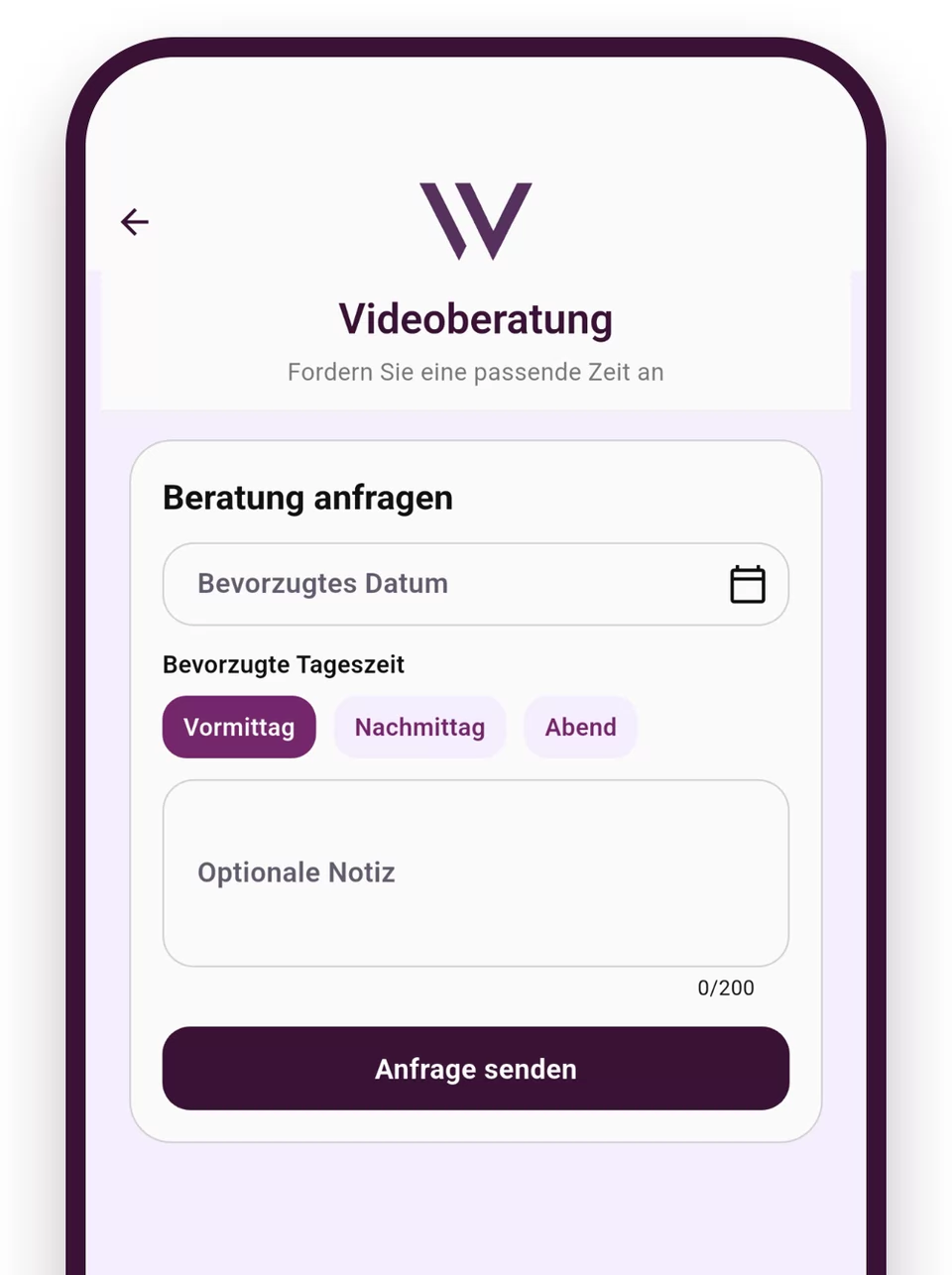
Under “Request a consultation”, you choose your preferred date and morning, afternoon or evening. Your clinic confirms the appointment; until then it counts as requested.

The messages in the app are not a route for emergencies – nobody reads them immediately. In the case of acute complaints, please call the emergency number 112.
A question at half past ten in the evening? On the home page of the app, you can reach Weight Doctors® Mira. It answers everyday questions about nutrition, exercise and motivation – around the clock and as a non-medical offering.
The library collects understandable articles on nine topics, in German and English. The articles on stomach surgery come from the obesity surgery guide of the Weight Doctors® Nationalklinik.

Our team supports you with setting up the app, scales and Weight Doctors® Mira at the start of your treatment – in person, by telephone or by video.
Your health data is transmitted in encrypted form and used exclusively for your care. We do not pass health data on to third parties and do not use it for advertising. You yourself allow access to Apple Health or Health Connect and can withdraw it again at any time. The details are in the privacy policy of the app.
The app supports your programme but replaces neither diagnosis nor medical treatment. The recommendations of your treatment team always take precedence over the content of the app.
Your question isn’t listed? Your specialist will take time for it during the consultation.
The app is not sold separately. It is part of the Weight Doctors® MEMBERSHIP: you receive access for 12 months at the start of your Weight Doctors® treatment, together with the digital body scales.
On the iPhone and on Android smartphones. It can be used in German, English, Dutch and Spanish, in a light or dark design.
The clinic ID is a four-digit code that the app asks for at first launch. You will find it on your invoice or your appointment confirmation.
Yes, via Apple Health (iPhone) or Health Connect (Android). Under “Apps and devices” in the menu, you allow access; steps, sleep and exercise then appear in the “Activity” area.
First check the obvious: Bluetooth switched on, smartphone close to the scales, internet connection available, app reopened once. If that does not help, write to us via “Help & support” in the app menu.
In the “Messages” area. There you write to your clinic and can attach up to three files. You request an appointment in the menu under “Request a consultation”. The app is not intended for emergencies – in that case please call the emergency number 112.
No. The app accompanies your treatment and provides your team with the progress for the medical consultations. Diagnoses and decisions about your treatment are made by your specialist.
It is transmitted in encrypted form and used exclusively for your care – not for advertising, and not for passing on to third parties. More on this in the privacy policy of the app.
The first step is a conversation: choose your treatment, location and appointment online here – consultation on site, by video or by phone.
No matching treatment found. Select “Still undecided?” in one of the areas and we will call you.
* For patients with German statutory health insurance: if the medical indication is established in line with the DGAV guidelines, reimbursement may be possible.
Prefer to call? 0800 84 84 777Mon–Fri 8 am–8 pm · Sat 9 am–3 pm
Weight Doctors® at 23 locations in 6 countries23 locations
Which location is closest to you?
Which location is closest to you?
 Germany
 Austria
 Netherlands
 United Kingdom
 South Africa
 Namibia
Mira
Digital assistant from Weight Doctors®
With AI · Guidance, not medical advice. Privacy
Weight Doctors® GLP-1 pharmacotherapyMedication-based, no procedure3–12 months · from €599Medically supervised pharmacotherapy with regular progress monitoring – with no procedure at all.
No procedure
 Weight Doctors® hydroGMAEndoscopic, no incisionsapprox. 30 min · on request
Losing weight without medication: lowering the hunger hormone endoscopically – no surgery, no incisions. On its own or combined with an endo sleeve.
Long-lastingNew
 Weight Doctors® GASTRIC BALLOONTemporary, also swallowable6 or 12 months · from €3,490
A temporary companion for 6 or 12 months – also swallowable, with no endoscopy at all.
No surgery
 Weight Doctors SLEEVE®Endoscopic, permanent30–60 min · from €5,500
Permanent stomach reduction without conventional surgery – endoscopic, outpatient, without scars.
No surgeryHealth insurance cover also possible*
 Weight Doctors BARIATRICS®Surgical, minimally invasive1–3 nights · from €2,500
Gastric bypass or gastric sleeve surgery for higher BMIs, incl. private medical preliminary examination and aftercare.
With surgeryHealth insurance cover also possible*
 Weight Doctors® RESHAPEAfter weight lossindividual · from €1,950
Post-bariatric body contouring after successful weight loss.
After weight lossHealth insurance cover also possible*
 Weight Doctors® REVISIONCorrective procedure after weight-loss surgeryindividual · from €900
Corrective procedure when earlier weight-loss surgery has not brought the desired success.
With surgeryHealth insurance cover also possible*
 Weight Doctors® 360°Nutrition coachingper session · from €65
Nutrition coaching and support in everyday life – in person, by video and in the app.
No procedure
 Weight Doctors® MEMBERSHIPThe foundation of every therapy
Medical oversight, app, scales, 3D Bodyscan and aftercare – the foundation of every Weight Doctors® therapy.
 Weight Doctors® lipoedema surgeryLosing weight with a fat distribution disorder1.5–3 hours · from €950
In lipoedema, fatty tissue increases abnormally on the legs or arms – with consultation and lipoedema surgery.
LipoedemaHealth insurance cover also possible*
* For patients with German statutory health insurance: if the medical indication is established in line with the DGAV guidelines, reimbursement may be possible.